

How to Submit Your Website to Search Engines (Google, Bing, Yahoo)

You launched the site. Friends can open it. Search engines… still act like they never got the memo.
How to submit a website to search engines today is not a dusty “Add URL” form. You verify ownership in Google Search Console and Bing Webmaster Tools, submit your XML sitemap, and optionally ask Google to look at a few important URLs. Yahoo does not have its own submit tool-Bing covers it.
What does “submitting” actually mean?
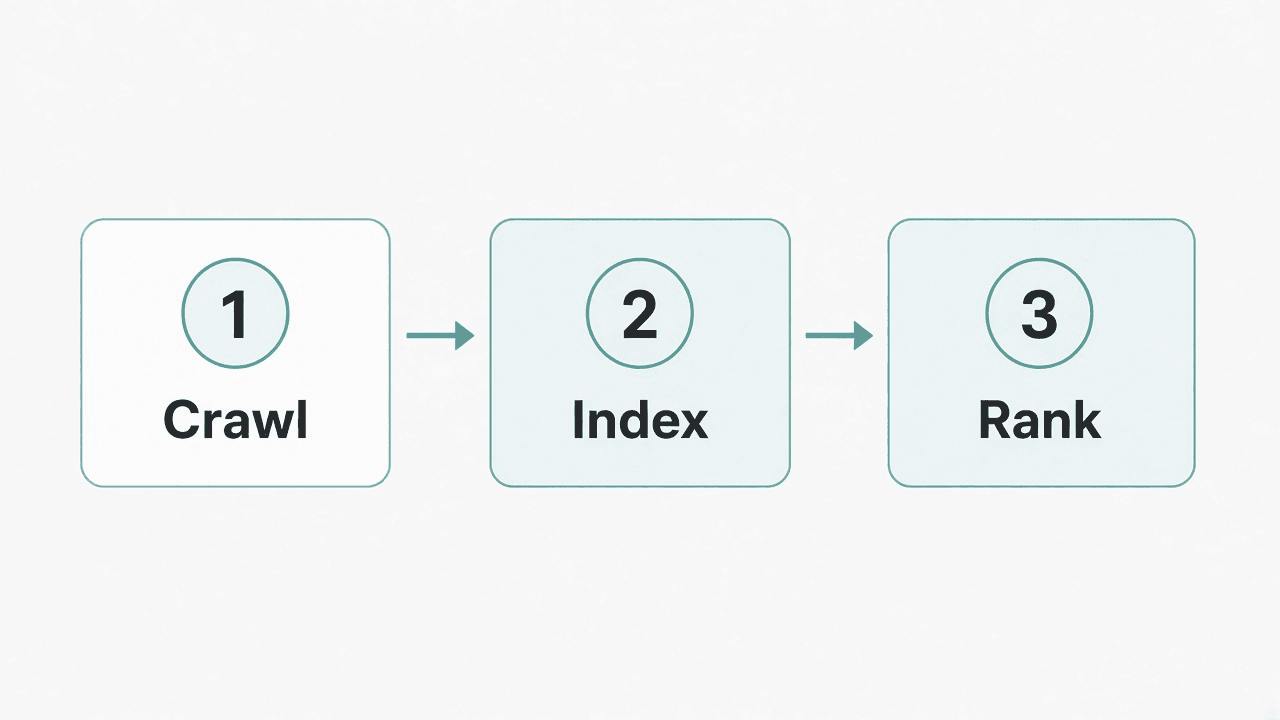
Search engines do not “list” your site the way a phone book does. They crawl pages (fetch them), index pages they decide to keep in their database, then rank matching pages when someone searches.
Submitting is you saying: “Here I am-please crawl these URLs.” It is a helpful nudge, not a ranking guarantee.
| Engine | Where to submit | Notes |
|---|---|---|
| Google Search Console | Verify property + submit sitemap; optional URL Inspection → Request indexing | |
| Bing | Bing Webmaster Tools | Verify + submit sitemap; can import from Google Search Console |
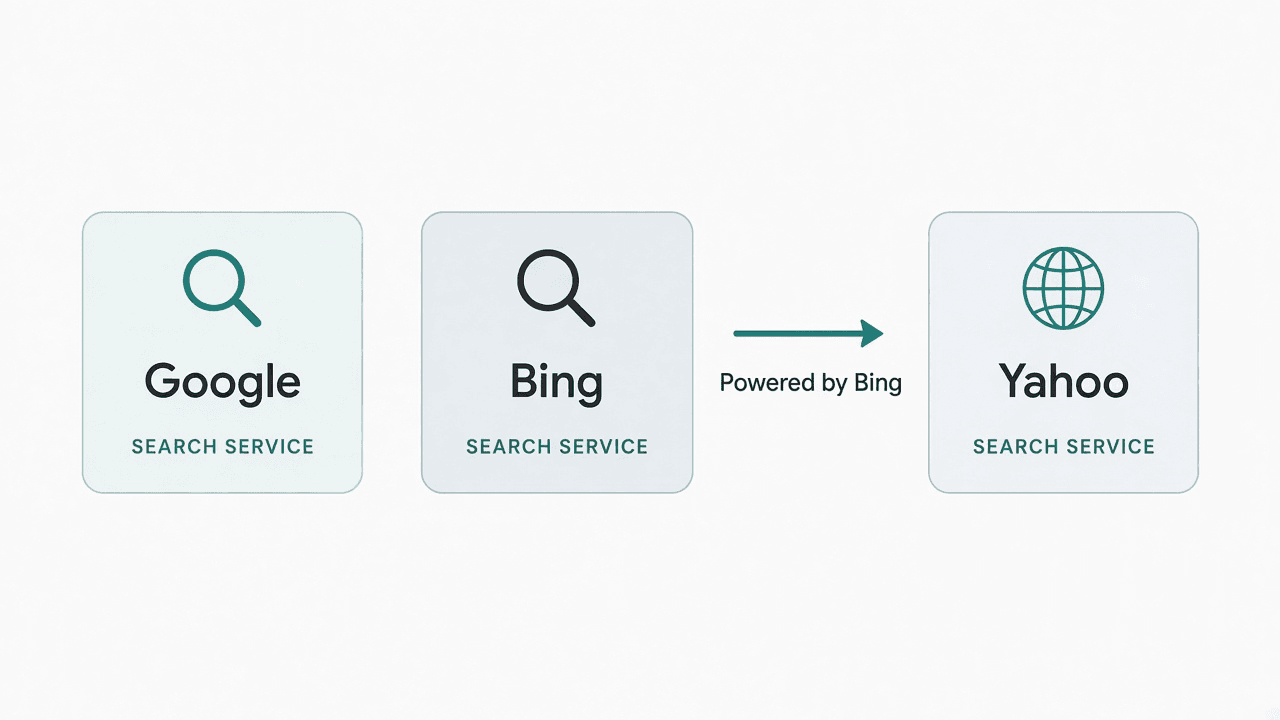
| Yahoo | No separate tool | Yahoo Search is powered by Bing-Bing covers Yahoo |
| DuckDuckGo | No classic submit portal | Largely uses Bing results for many queries-Bing helps |
Next I’ll walk you through what to fix before you click Submit-so you are not asking Google to crawl a blocked or unfinished site.
What do you need before you submit?
Do this short pre-flight. It prevents the most common “I submitted and nothing happened” surprises.
- Your site loads on HTTPS (the padlock in the browser is fine-no scary certificate warnings).
- Important pages are linked from the homepage or main navigation (orphaned pages are easy to miss).
- You are not accidentally blocking crawlers in
robots.txt. - Pages you care about are not marked noindex (a tag or setting that tells search engines “please don’t index this”).
- You know your sitemap URL, or you are ready to turn sitemap generation on in your site builder.
If DNS verification feels scary later, that is okay-Google’s URL-prefix method is friendlier for many beginners. I’ll show both.
How do you find (or create) your XML sitemap?
An XML sitemap is a file that lists the URLs you want search engines to know about. Think of it as a polite table of contents-not a bribe for rankings.
Try these in your browser (replace with your domain):
https://yoursite.com/sitemap.xml
https://yoursite.com/sitemap_index.xml
Also open:
https://yoursite.com/robots.txtLook for a line like:
Sitemap: https://yoursite.com/sitemap.xml
Builders usually create one for you. WordPress (often via an SEO plugin or core), Wix, Squarespace, Shopify, and similar platforms commonly auto-generate a sitemap. Check your builder’s SEO or “sitemap” settings if the URLs above 404.
You do not need a paid “submit to 500 directories” package to create or send a sitemap. One honest XML file submitted to Google and Bing is the modern path.
How do you submit your website to Google?
This is the main path most people mean when they say submit website to Google or submit sitemap Google Search Console.
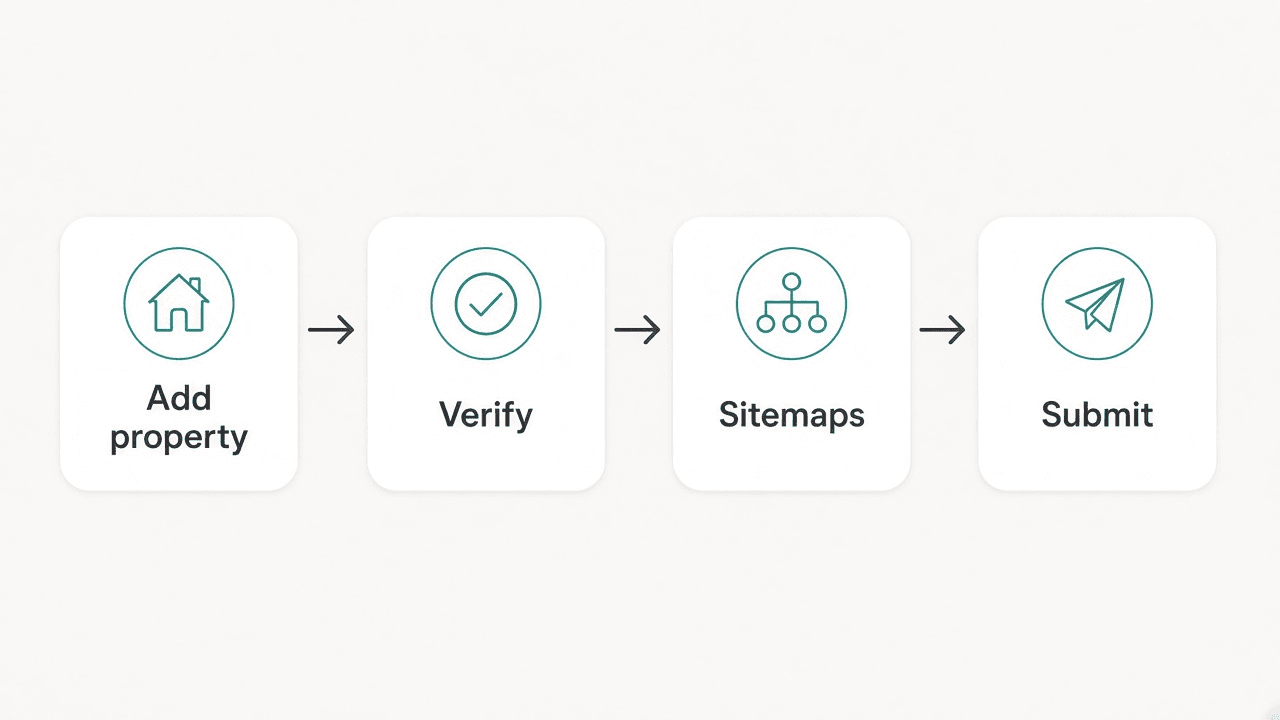
1. Open Google Search Console and add a property
Go to Google Search Console and choose Add property.
You will see two common choices:
- Domain - Covers the whole domain (www and non-www, http and https variants) in one property. Verification usually needs a DNS record at your domain host. Strongest long-term setup if you are comfortable with DNS.
- URL-prefix - Covers only the exact prefix you enter (for example
https://www.yoursite.com). Verification can use an HTML file upload, a meta tag, Google Analytics, or Google Tag Manager. Friendlier if DNS feels intimidating.
If DNS feels scary, use the URL-prefix method with HTTPS and the exact address people actually type.
2. Verify ownership
Follow the on-screen verification method you picked. Until verification succeeds, Google will not treat the property as yours for reports and sitemap submission.
3. Submit your XML sitemap
- In Search Console, open Sitemaps (under Indexing on many layouts).
- Paste your sitemap URL-often just
sitemap.xmlif the property already knows your site root, or the fullhttps://yoursite.com/sitemap.xml. - Click Submit.
Success here means Google accepted the sitemap file. It does not mean every URL is indexed yet.
4. (Optional) Request indexing for a few important URLs
For a homepage, pricing page, or key article:
- Paste the URL into URL Inspection.
- If the tool offers it, choose Request indexing.
Be honest about what this does:
- It asks Google to crawl that URL sooner.
- It does not guarantee indexing.
- Daily request limits exist, so use it for a handful of important pages-not every product URL in your catalog.
How do you submit to Bing (and cover Yahoo)?
Submit website to Bing through Bing Webmaster Tools:
- Sign in and add your site.
- Verify ownership (Bing offers several methods, including a meta tag or XML file).
- Submit your sitemap URL the same way you did for Google.
Time-saver tip: Bing can import verified sites from Google Search Console. If you already finished Google, use that import option so you are not redoing every click.
Why Bing also covers Yahoo
Yahoo Search is powered by Bing. There is no separate modern “submit site to Yahoo” webmaster portal you need for everyday sites. Managing the site in Bing Webmaster Tools is the practical path for Yahoo coverage.
What about DuckDuckGo?
DuckDuckGo does not offer a classic public “submit URL” portal for normal websites the way people remember from the early web. For many queries it leans on Bing’s index. Submitting to Bing still helps your odds there-without a separate DuckDuckGo form.
Optional: should you submit to Yandex?
If your audience is strong in regions where Yandex matters, create an account in Yandex Webmaster, verify the site, and submit the same XML sitemap. For many English-first local businesses, Google + Bing is enough to start. Add Yandex when that audience is real for you-not because a checklist said “submit everywhere.”
How do you check if search engines found your site?
Give it a few days, then check:
- In Google or Bing, search:
site:yoursite.comReplace with your real domain. Results (if any) are pages that engine has indexed.
- In Google Search Console, open Pages / indexing reports to see indexed vs. not indexed reasons.
- In Bing Webmaster Tools, review indexing and sitemap reports.
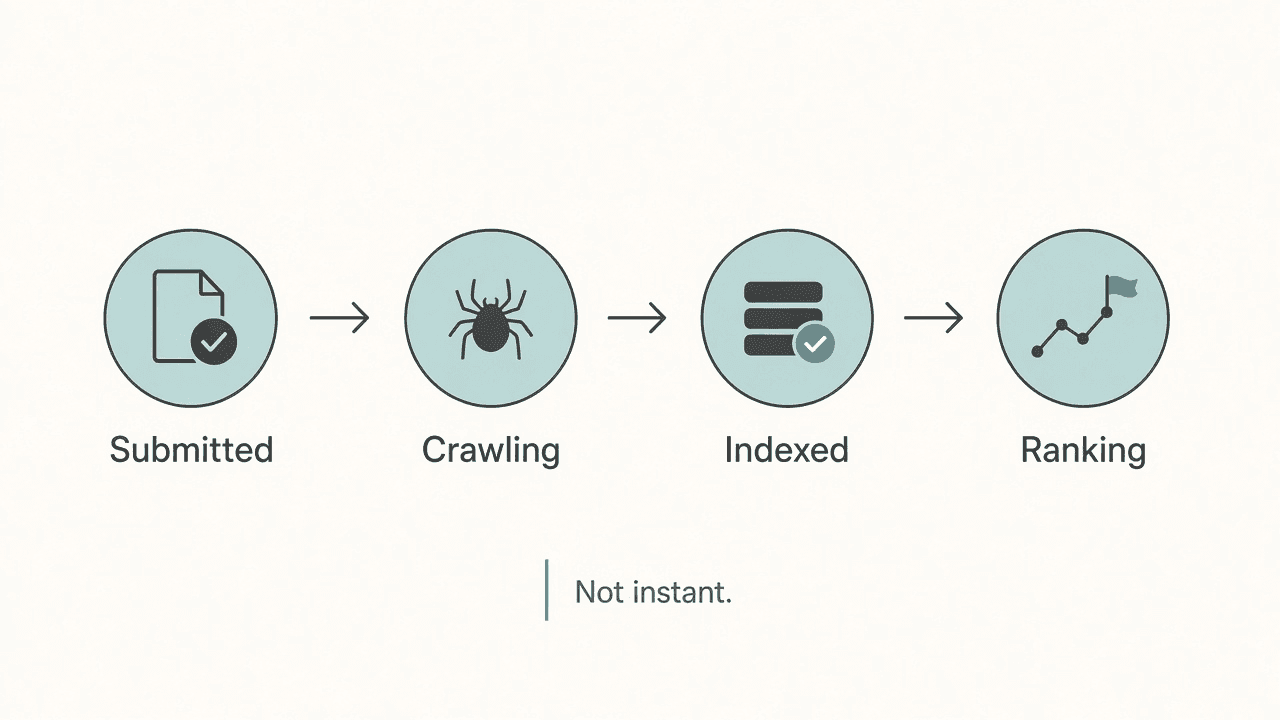
Submission ≠ ranking. A page can be indexed and still sit on page five. Quality content, clear titles, internal links, helpful pages, and links from other sites still matter after the sitemap is in.
Why isn’t your site showing yet?
If you already submitted and the site: search is empty, work through this table.
| Symptom | Likely cause | What to try |
|---|---|---|
| Sitemap shows error in Search Console | Wrong URL, 404, or invalid XML | Open the sitemap in a browser; fix builder settings; resubmit |
| “Crawled – currently not indexed” | Google saw it but chose not to keep it yet | Improve uniqueness and usefulness; ensure the page is linked; wait and recheck |
| Site blocked | robots.txt Disallow or sitewide noindex | Remove accidental blocks; request a recrawl after fixing |
| Only homepage indexed | Thin inner pages or weak internal links | Link key pages from nav; improve page content |
| Nothing after 1–2 days | Normal delay for new/low-link sites | Keep the sitemap; earn a few real links; check again over weeks |
New sites with almost no inbound links often wait longer. That is frustrating and normal-not proof that Search Console is broken.
Mistakes and scams to skip
- Paid “submit to 500 search engines” services - Most of those directories do not matter. Google + Bing (for Yahoo) is the real work.
- Outdated “Add URL” forms - Old public submit boxes are mostly obsolete or ignored. Use official webmaster tools.
- Guaranteed indexing or “page 1 in 24 hours” promises - Nobody honest can promise that.
- Submitting a staging/password site - Search engines cannot usefully index what visitors (and crawlers) cannot reach.
- Indexing API misuse - Again: not for ordinary pages.
If you are still polishing on-page assets while you wait-compressing images so pages stay fast is a separate but related habit; guides like PNG to WebP and HEIC to JPG help when media is the bottleneck, not when discovery is.
Final checklist
Tick these when you are ready to call the job done for week one:
- Site opens on HTTPS without certificate errors
- No accidental
noindexorrobots.txtblock on public pages - Sitemap opens in a browser (
/sitemap.xmlor/sitemap_index.xml) - Google Search Console property verified + sitemap submitted
- Bing Webmaster Tools verified + sitemap submitted (or imported from Google)
- Homepage (and 1–2 key URLs) checked with URL Inspection / request indexing if needed
- You know how to recheck with
site:yoursite.comand Search Console Pages reports
You did the part you can control. The rest is crawl, judgment, and time.
Frequently asked questions
Do I need to submit my site to Google, or will Google find it anyway?
Google can find sites through links. A brand-new site with few links may wait a long time. Verifying in Search Console and submitting a sitemap is still the clearest way to ask Google to crawl your important URLs.
Does submitting to Bing also submit to Yahoo?
Practically yes. Yahoo Search is powered by Bing, so Bing Webmaster Tools is the webmaster path for Yahoo. You do not need a separate Yahoo submit form.
How long after submitting a sitemap will my pages appear?
It depends. Some URLs appear in days; others take weeks. Submission never guarantees indexing or rankings.
What if I don’t have a sitemap.xml?
Check /sitemap.xml, /sitemap_index.xml, and the Sitemap: line in robots.txt. Turn on your builder’s sitemap/SEO feature or a sitemap plugin if the file is missing.
Is “Request indexing” the same as ranking on page 1?
No. It only requests a crawl. Indexing is still Google’s choice, and ranking is a separate competition based on relevance, quality, and many other signals.
Related posts
- Problem-awareOct 29, 2026 · 8 min read
Anthony Edwards Knee Surgery: What Timberwolves Fans Need to Know
Minnesota says Anthony Edwards should be “good as new” after arthroscopic right-knee surgery-but the return window is still weeks-to-months unclear.
- Problem-awareOct 29, 2026 · 9 min read
Warriors vs Timberwolves Final Score: Curry’s 44 Lift Golden State 119-114
Stephen Curry scored 44 as the Warriors held off Minnesota 119-114 in Minneapolis-their second straight win after opening 0-3.
- Problem-awareOct 24, 2026 · 9 min read
PDF to Word: How to Convert a PDF Into an Editable DOCX File
Convert PDF to Word the practical way: get editable text, understand scanned vs digital PDFs, and check layout before you send the DOCX.